
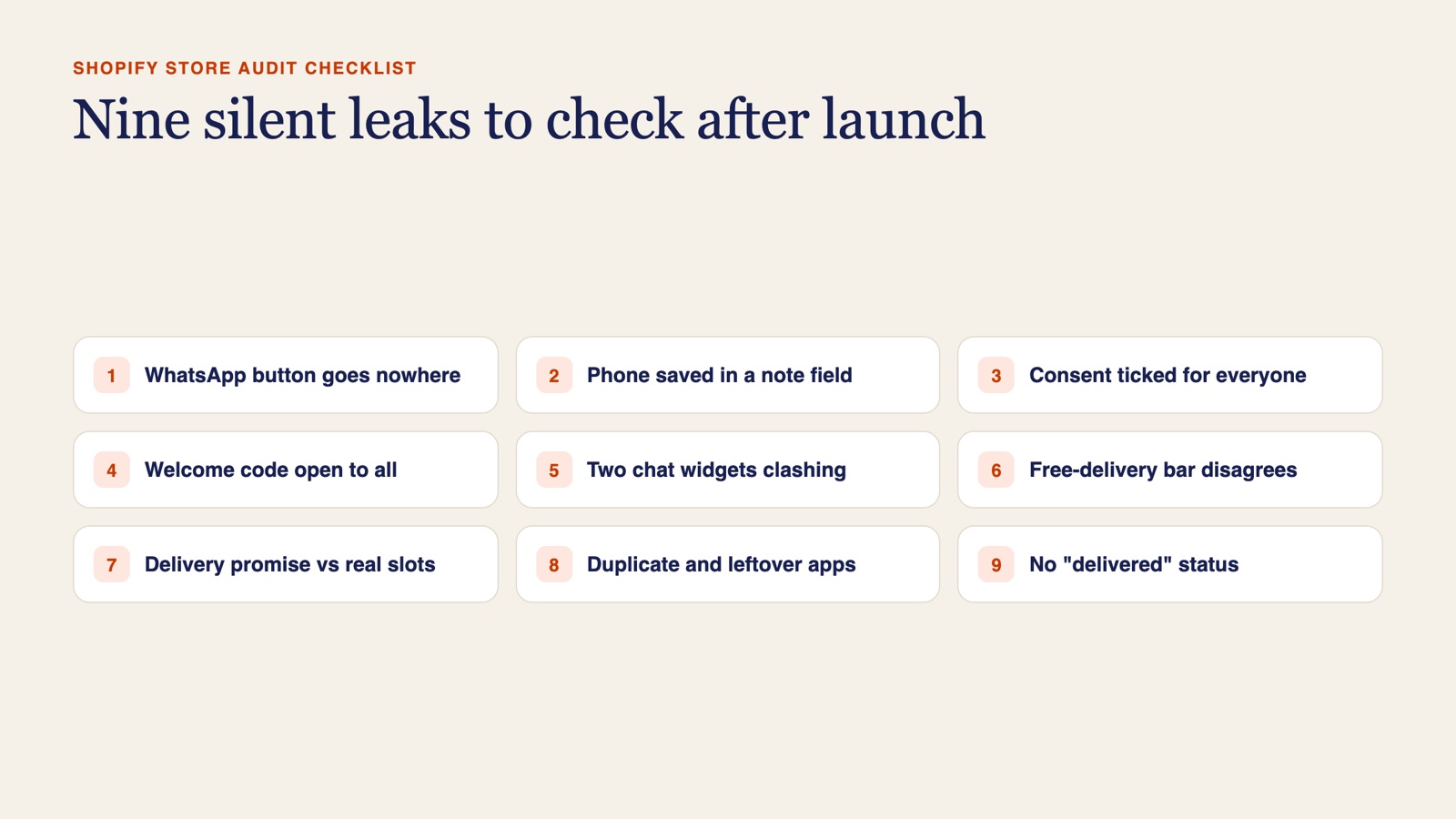
What should a Shopify store audit checklist cover after launch?
Check the paths that customers and your automations actually use: sign-up, consent, the welcome offer, chat, the cart, the delivery promise, installed apps and order statuses. Most launch checklists stop at whether pages load and payments go through. The leaks we find sit one step later, where customer details are captured and handed on.
We ran this review while scoping WhatsApp and email automation for the store. We signed up as a customer, filled a cart, opened the new customer record, went through the apps and theme code, and compared product page promises with how delivery really runs. The wider project story is in our article on Shopify and WhatsApp automation before a CRM. This post covers only the audit.
| Check | Who usually fixes it |
|---|---|
| 1. WhatsApp buttons reach a real number | Automation partner |
| 2. Phone number saved to a usable field | Automation partner |
| 3. Consent recorded only when given | Automation partner |
| 4. Welcome code works only for subscribers | Automation partner, header text by the developer |
| 5. One chat widget, not two | Automation partner |
| 6. Free-delivery bar matches product pages | Web developer |
| 7. Delivery promise matches real slots | Web developer, once the owner decides |
| 8. No duplicate apps or leftover code | Web developer |
| 9. Orders can be marked delivered | Automation partner |
Does every WhatsApp button reach a real number?
On a phone, tap every WhatsApp link: header, footer, pop-up, contact page and any section asking visitors to send their details. Each should open a chat with your business line.
On the store we reviewed, a send-us-your-details button pointed at a placeholder number. Everyone who used it reached nobody, and a failed chat leaves no trace, so nobody could have known. Point every link at the business number, not a staff phone, and keep it in one theme setting so a later change is one edit.
Where does the sign-up form put the phone number?
Sign up with your test details and open that customer in the admin. Is the WhatsApp number in the phone field, or buried in the note?
Ours was in the free-text note. Shopify automations and WhatsApp platforms read proper fields, not sentences in a note, so a welcome message on WhatsApp had no number to go to. The form should write to the phone field or a customer metafield. Where the WhatsApp tool cannot write back to Shopify, a small Shopify Flow or n8n step can carry the detail across. If customers often use a different WhatsApp number, add a field for it at checkout too.
Is every sign-up being marked as consenting to marketing?
Make two test sign-ups, one with the marketing box ticked and one without, then read the marketing status on both records. If both say subscribed, the form is ignoring the box.
That is what we found. It is a consent risk, and it spoils your own list, because you can no longer tell real subscribers from people who never agreed. A hidden field in the theme form that forces consent on is a common cause. Send consent only when the box is ticked, and record email and WhatsApp consent separately. Many existing customers showing as not subscribed is normal, by the way. They just must not get campaigns.
Can anyone use the welcome code without signing up?
Open the site in a private window and read the header. Then try the welcome code at checkout with an email that has never signed up.
Here the joining discount was printed in the header and worked for anyone. Shoppers took it without joining, so the store gave margin away and the list never grew. Take the code out of the header, then limit it in Discounts to the subscriber segment and one use per customer, or send unique codes in the welcome email.
Are two chat widgets fighting on the same screen?
Check the bottom corners of the home page, a product page and the cart on a phone, then count the chat tools switched on under app embeds in the theme editor.
We found two WhatsApp widgets overlapping, and the old one would have clashed with the new platform. Two widgets split conversations, and on a small screen they can cover the buy button. Keep the one that belongs to your team inbox and switch the other off when the new platform goes live.
Does the free-delivery bar agree with your product pages?
Add one cheap item and read the cart bar, then keep adding until you pass the threshold. Compare both readings with the delivery line on product pages.
This bar showed a confusing negative amount and a different threshold from the product pages, at the exact moment a shopper decides whether to add one more item. The developer should set one threshold in one place and make the bar say plainly when free delivery is reached.
Can delivery really meet what the product page promises?
Read the delivery promise on a product page, then open the checkout date picker and note the earliest slot. Try different days, including any day you are closed.
The product pages promised very fast same-day delivery, while the delivery app offered next-day slots in fixed windows and had a closed day. A gift buyer working to a date finds that out at the last step, then leaves or orders and complains. The owner decides what the business can really promise, and the developer makes the copy and the picker agree.
Are old or duplicate apps still loaded in the theme?
On the Apps page in Settings, look for two apps doing the same job and any warning Shopify shows. In the theme code, search for the names of apps you have uninstalled.
This store had two delivery apps installed, one flagged by Shopify, plus leftover code from a removed reviews app. Two apps doing one job can show conflicting rules, and dead code weighs down every page. Duplicate the theme as a backup, keep one delivery app and strip out the leftovers.
Does anything record that an order was delivered?
Open a recent order and read its status history. Is there anything after fulfilled?
Orders here were marked fulfilled at dispatch and nothing recorded delivery, so delivery updates and review requests had nothing to trigger them. A review request timed from dispatch can arrive before the gift does. We recommended the team mark out for delivery and then delivered, one tap each, with messages sent only on the status they record, and a ready-for-pickup message for pickup orders.
Who should fix what: automation partner or web developer?
Not everything was broken. The welcome email and abandoned-checkout email were already live in Shopify, and we recommended refining them rather than rebuilding. For the rest we split the work: sign-up, consent and WhatsApp items went into our automation project, and theme, cart and delivery-promise items went to the store's web developer. Plenty of developers say their scope ends at the build, which is fair. A list like this gives each side a short, clear brief.
For the design side of checkout, see our ecommerce design rules. For how a shared WhatsApp inbox replaces chats on staff phones, read about WhatsApp support.
Want a second pair of eyes on your store?
If you have just launched or relaunched, read-only access is enough for us to run this list. We tell you what we find and who should fix each item before we propose any work. [Talk to us](/contact/) about what the store sells and what you have set up so far.
Sources
- This article contains no statistics or prices. The findings come from a read-only review GoDesign carried out on one Shopify store in the UAE at proposal stage, with details removed so the store cannot be identified. Nothing described here had been built or measured at the time of writing.
- Shopify, Shopify Flow, WhatsApp and n8n are third-party names used only to describe what the store runs on or what we work with. GoDesign is not a partner, certified expert or affiliate of any of them.
- The cover is a GoDesign diagram summarising the checklist; it does not show the store described.
Common questions
- Can I run this Shopify audit checklist myself?
- Yes. Every check uses a test sign-up, a phone and the admin pages you already have. Most take a few minutes each. The fixes are where you may need your developer or an automation partner.
- What access do you need to audit a store?
- A staff account with read-only permissions is enough. We review the store as a customer and look through the admin without changing anything, then send a list of findings with who should fix each one.
- Is it a problem if every sign-up shows as subscribed?
- Yes. It means the form is not recording real consent, so you cannot tell who agreed to marketing. Rules vary by country, so check what applies to you, but in every case the fix is to record consent only when it is given.
- Should I fix these before choosing a CRM?
- We would. A CRM imports the data your store already holds. If phone numbers sit in notes and consent is wrong, you move the mess across and pay to clean it up later.